Prepare
Organise the supplier documents and source lines.

DBX ONE INSIGHTS
Send one supplier month. INSIGHTS organises the documents, separates routine activity from exceptions and keeps the evidence beside the next step.
Practice Pro
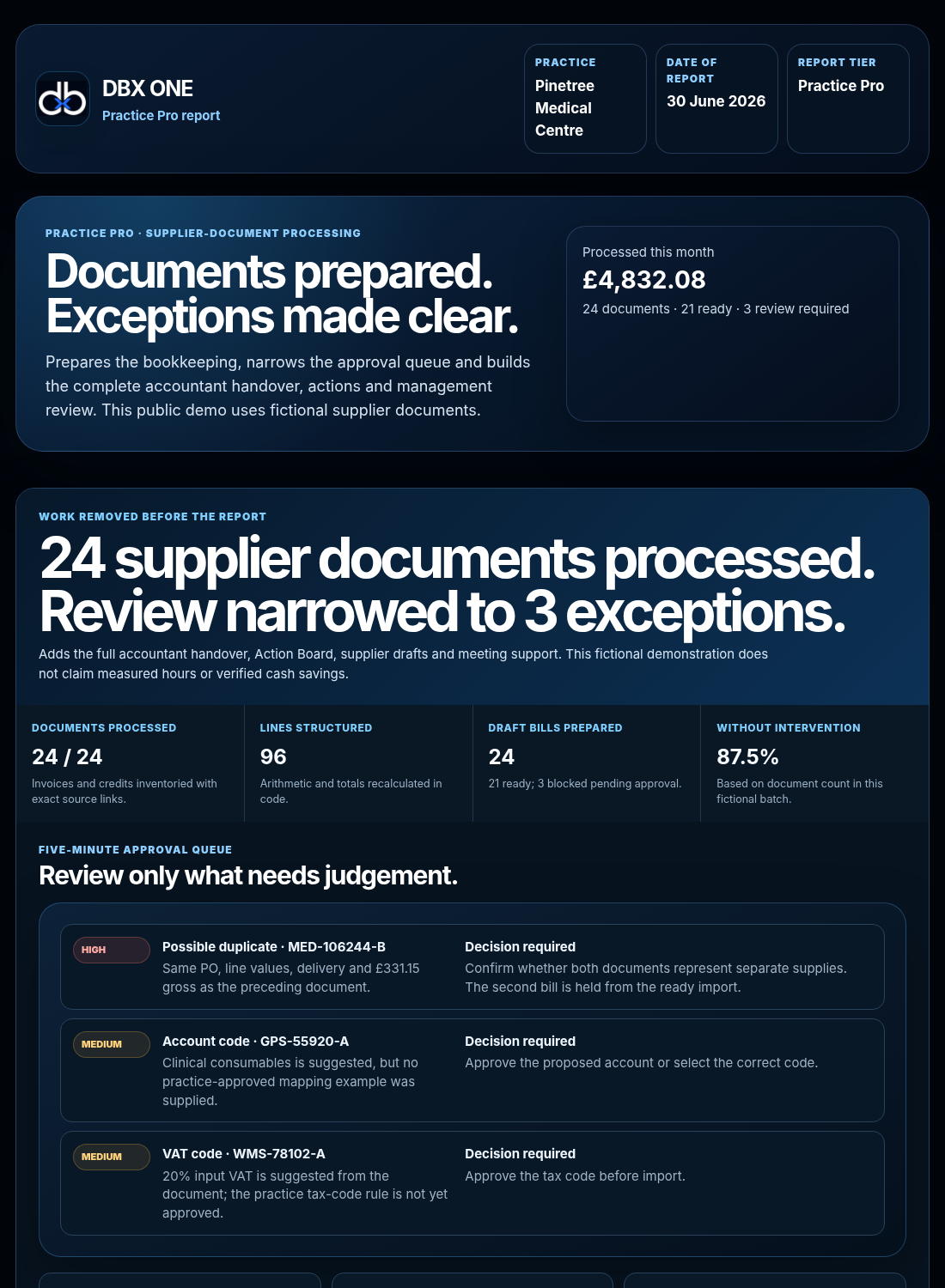
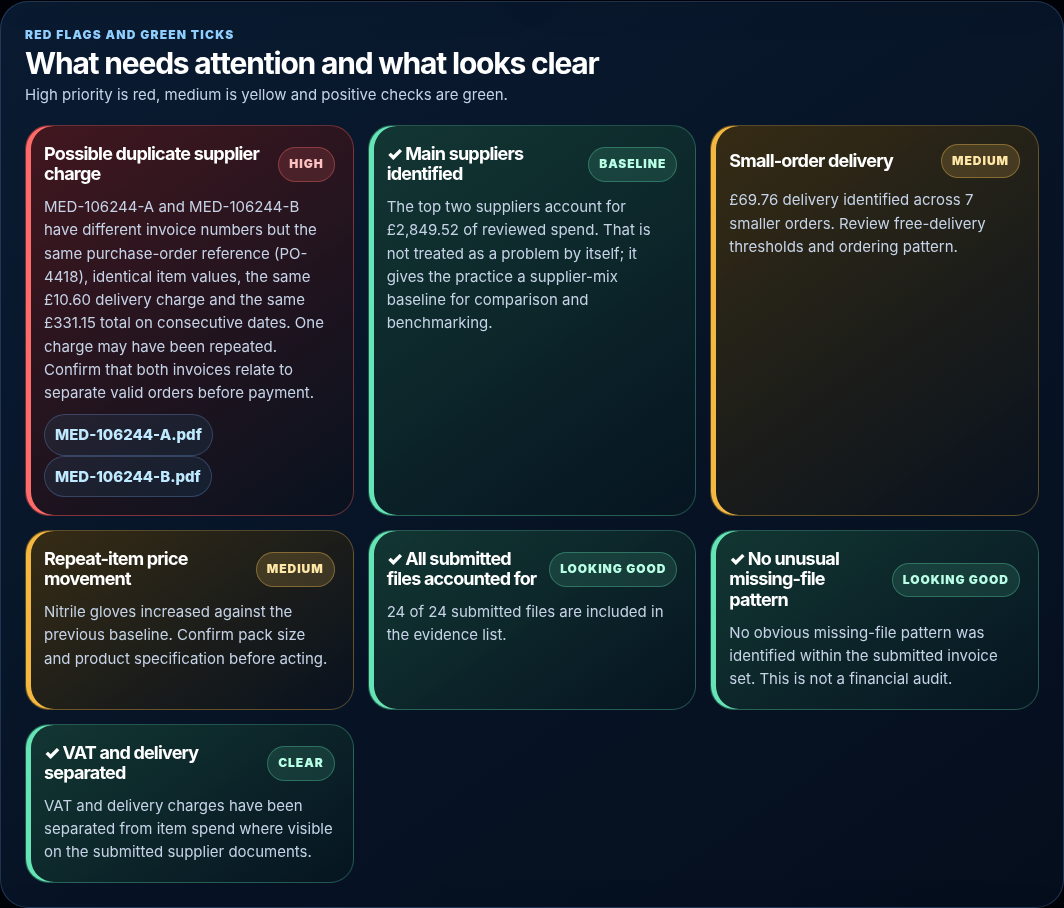
Instead of opening invoices one by one to rebuild the month, start from a structured view of what changed and why it was raised.
A clear view back
The point is not another dashboard. It is to reduce the work between receiving supplier documents and knowing what deserves a decision.
Organise the supplier documents and source lines.
Pull supported exceptions away from routine activity.
Keep the evidence and next step together.
The complete output
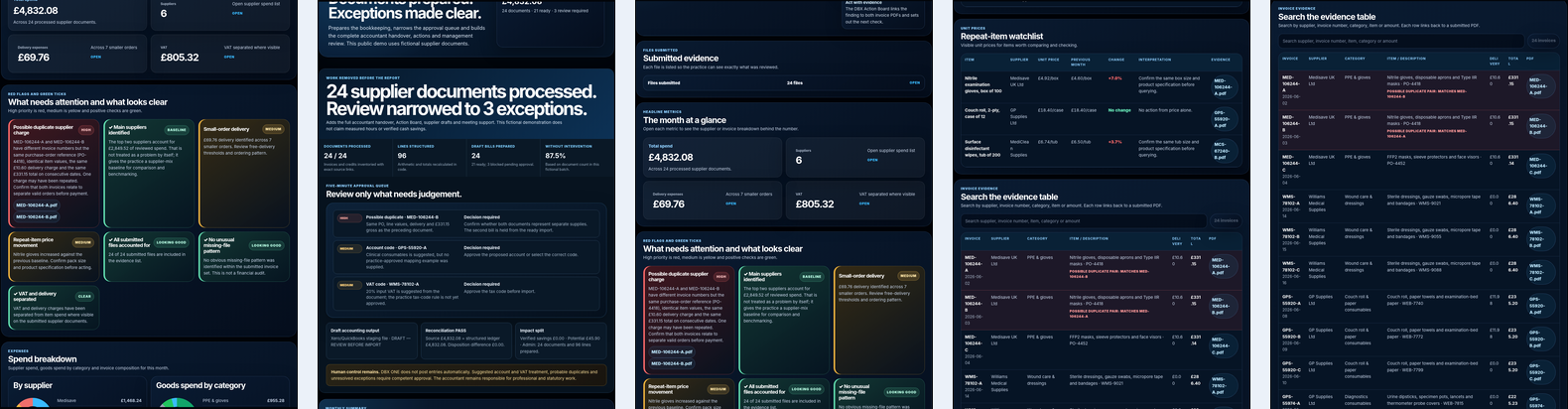
The Practice Pro example combines the supplier overview with the evidence and actions underneath it. You can inspect the full example before sending anything.
Fits the finance workflow
INSIGHTS does not need to replace Dext, Xero, QuickBooks, Sage or the practice's accountant. Tell us what accounting software you use so the trial can be prepared around the current workflow and future integration path.
Bookkeeping, posting and final accounting controls remain with the existing system and accountant.
INSIGHTS focuses on supplier-document organisation, exceptions, evidence and management follow-up.
No supplier or accounting decision is silently approved just because the system raised it.
The simple reason
INSIGHTS is designed to cut the repetitive part: opening documents, rebuilding supplier information and tracing evidence. The practice keeps the judgement; DBX ONE prepares the work around it.
DBX ONE INSIGHTS FAQ
Straight answers about scope, workflow, review and data handling.
No. INSIGHTS is a separate DBX ONE product for supplier invoices and monthly management review. You can use INSIGHTS without using STOCKROOM.
It reduces the repetitive work between receiving supplier documents and understanding the month. INSIGHTS organises the submitted documents, separates supported exceptions from routine activity and keeps the source evidence beside the review point.
A supported supplier-document period, normally one agreed month. The service supports invoice and credit-note files within the limits of the selected run or plan. Patient records are outside scope.
The exact output depends on the plan. Practice Pro includes the structured supplier view, supporting evidence, review points and the DBX Action Board, with evidence-linked follow-up where supported.
No. Existing bookkeeping, posting, approval and accounting controls remain where they are. INSIGHTS focuses on organising supplier documents, preparing supported checks and making the management review easier.
No. A raised item is a review point, not an automatic approval or instruction. The practice remains responsible for checking the evidence and making purchasing, supplier-management and financial decisions.
It should be surfaced for human review rather than silently treated as fact. The purpose of the evidence-linked view is to make it quicker for the practice to check why something was raised.
The standard service does not require direct accounting-system access. The practice tells DBX ONE what software it already uses so the output and any supported handover can fit the existing workflow.
The current complimentary first run is produced at Practice Pro level using one supported supplier month, up to 100 supported files. No payment details are required for that first run.
For a standard suitable run, DBX ONE currently targets delivery within one working day after the document batch has been confirmed complete and suitable. That is a target rather than a guaranteed deadline.
No. Do not submit patient records or special-category health data. INSIGHTS is designed for supplier and practice-operational documents within the stated service scope.
Read the current Confidentiality, Privacy, DPA and submission disclosure before sending documents. Those pages describe the current processing route and responsibilities.
First Practice Pro run
Submit one supported month, tell us the accounting software you already use, and judge the full Practice Pro output before deciding whether to continue.